

BalloonQ: Engineering Drawing Ballooning Software
BalloonQ is an intelligent engineering drawing ballooning software designed to simplify inspection workflows. Using advanced on-device AI, it reads dimensions from engineering drawings, identifies GD&T symbols and datums, and automatically places numbered balloons beside dimensions, callouts, tolerances, and other critical inspection features.
Everything runs on your own PC. AI, drawings, masters and reports stay local, so quality teams can work without an internet connection.
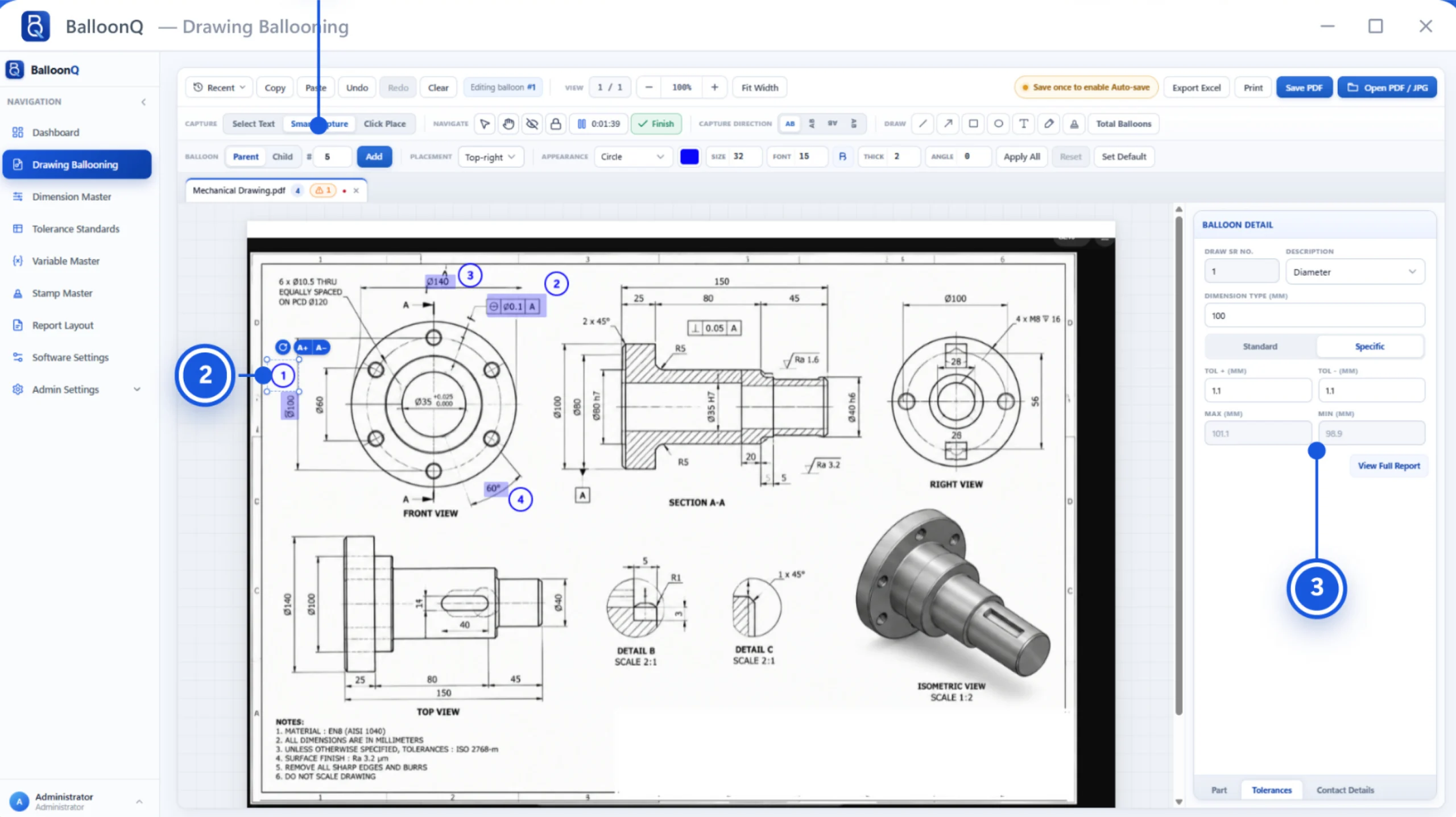
From opening your drawings to exporting the final report, our streamlined four-step process makes inspection faster, simpler, and more accurate.
Open PDF, JPG, PNG or other supported drawings, each in its own tab. Drag and drop works too.
Use Smart Capture, Select Text or Click Place. Each balloon is placed and numbered automatically for easy tracking.
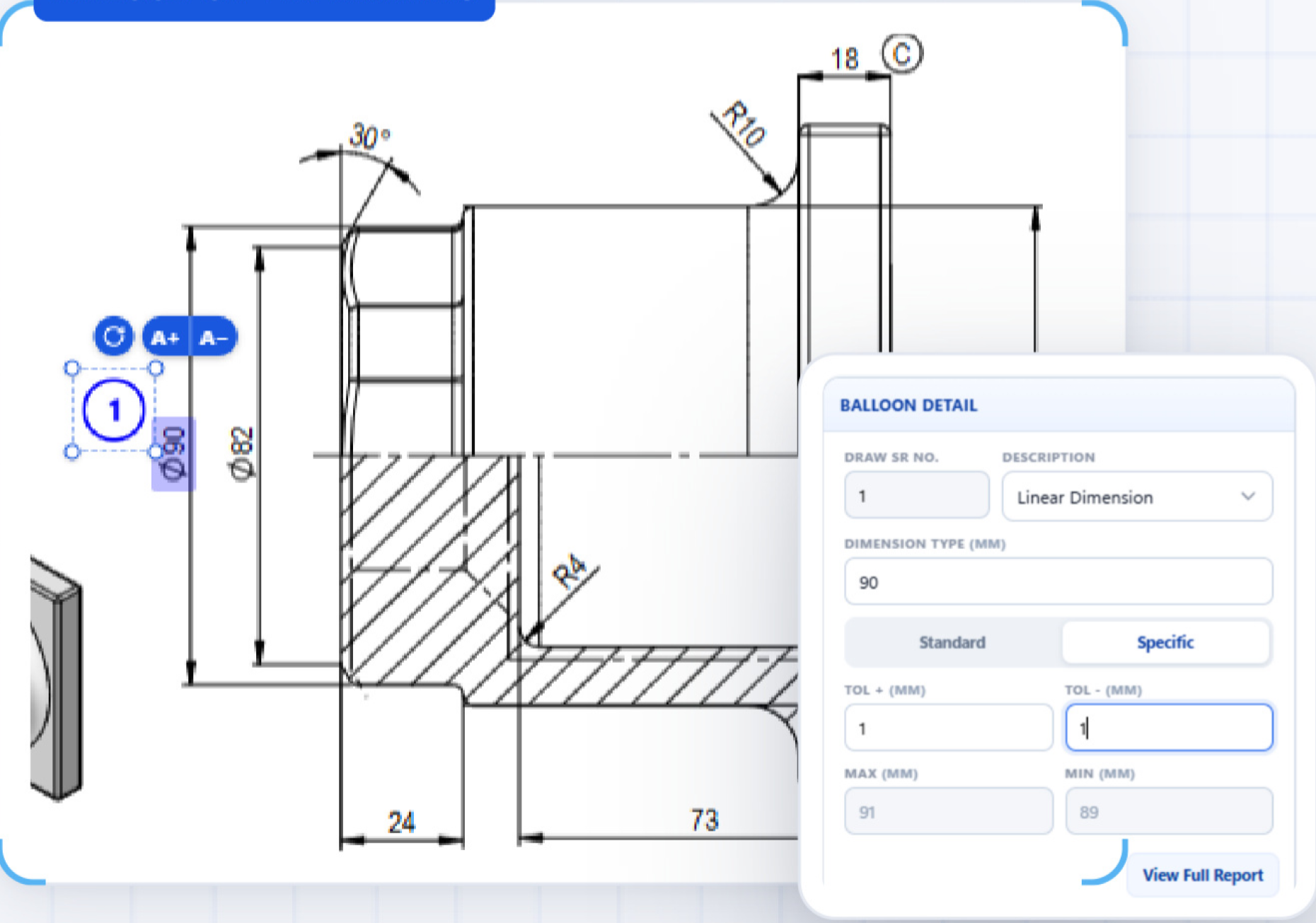
Max and Min are calculated. Warnings flag any balloon with missing details or incomplete inspection data.
Export the Excel inspection report and save a ballooned PDF that stays fully editable for future reference.
Built-in AI trained on engineering drawings
Automatically reads dimensions, tolerances, angles, and GD&T symbols from engineering drawings, reducing manual inspection work.
Uses on-device AI to analyze engineering drawings and identify critical dimensions while keeping your data private and secure.
Calculates Tol+, Tol−, Max, and Min values automatically, helping your team maintain accuracy and reduce calculation errors.
Organizes ballooned drawings, inspection data, and reports in one workspace, making it easier for quality teams to review results.
Creates accurate Excel inspection reports with dimensions, inspection values, and tolerance details, ready for sharing and documentation.
Exports ballooned drawings as editable PDFs, allowing your team to review annotations and preserve the original drawing quality.
Choose colour, size, font, thickness and angle, and set a default for each PDF.
Work entirely offline with complete privacy. Your drawings stay on your PC, with no cloud uploads, internet connection, or external servers required.
Automatically back up your drawings to a secure local folder or network drive on a daily schedule, keeping your files safe even when the application is closed.
Every backup is securely stored before changes are made, allowing you to restore previous versions automatically if anything goes wrong during the process.
Install signed and verified updates with confidence, ensuring your application stays up to date while maintaining a secure backup of all your important data.